Device Trust Management
My role: Product Designer
Team: PM’s, engineers, developers
Imprivata, 2026
Overview
The difference between being connected and being trusted.
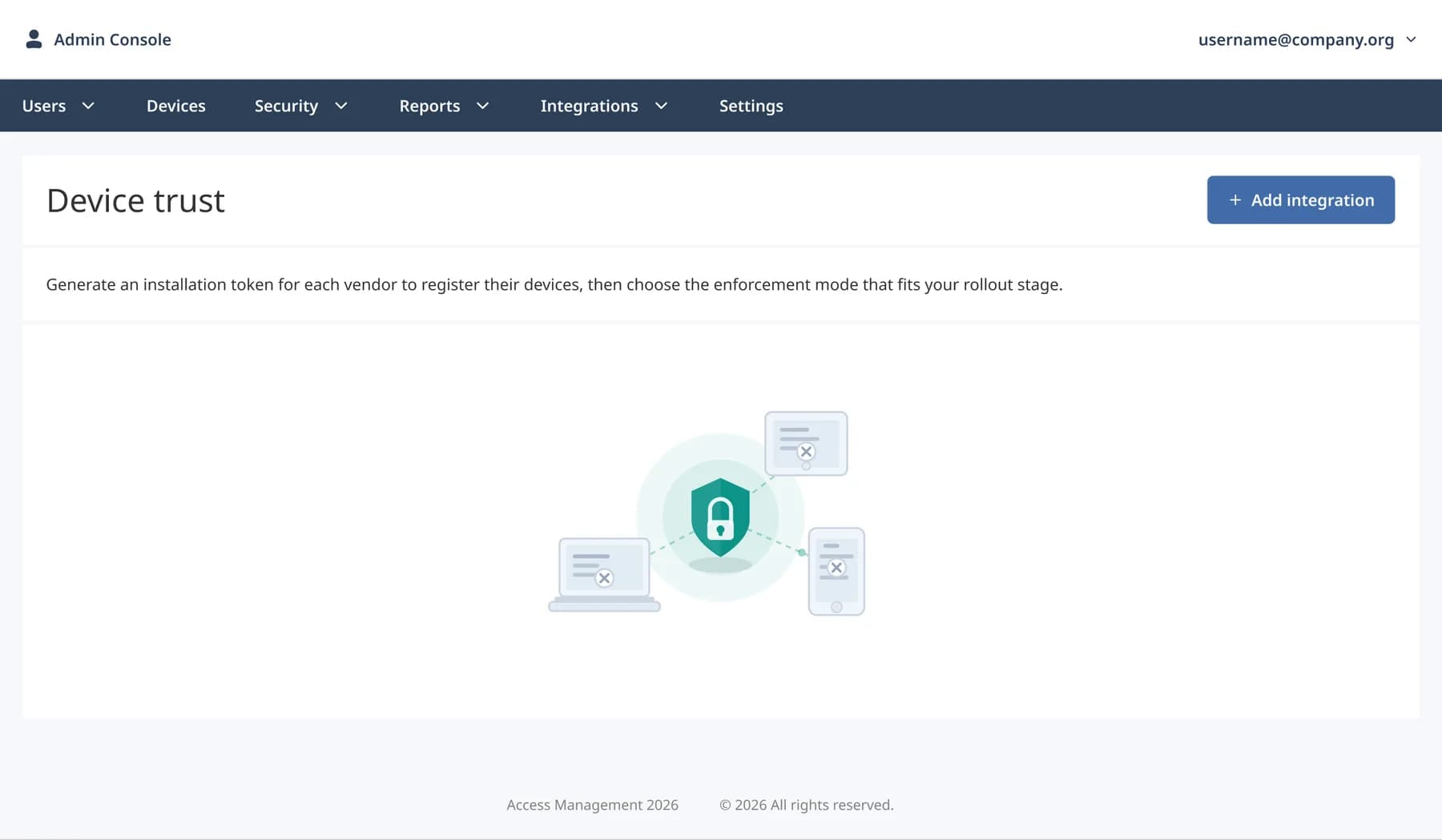
Trusted Device Management is an admin experience that helps hospital IT teams manage which clinical workstations are authorized to access authentication services. The feature provides visibility and control over trusted devices, including their status and access management.
User Persona
Role: Hospital IT Administrator
Manages the hospital’s clinical workstations and controls which devices are authorized to access authentication services.
The Problem
The authentication service could verify that a device was connected to the hospital’s secure network, but not whether it was an approved workstation. This meant that an unknown or compromised device could still attempt to authenticate.
Goal
Enable hospital IT administrators to establish and manage trust at the device level, ensuring that only approved workstations can authenticate.
Early Wireframes
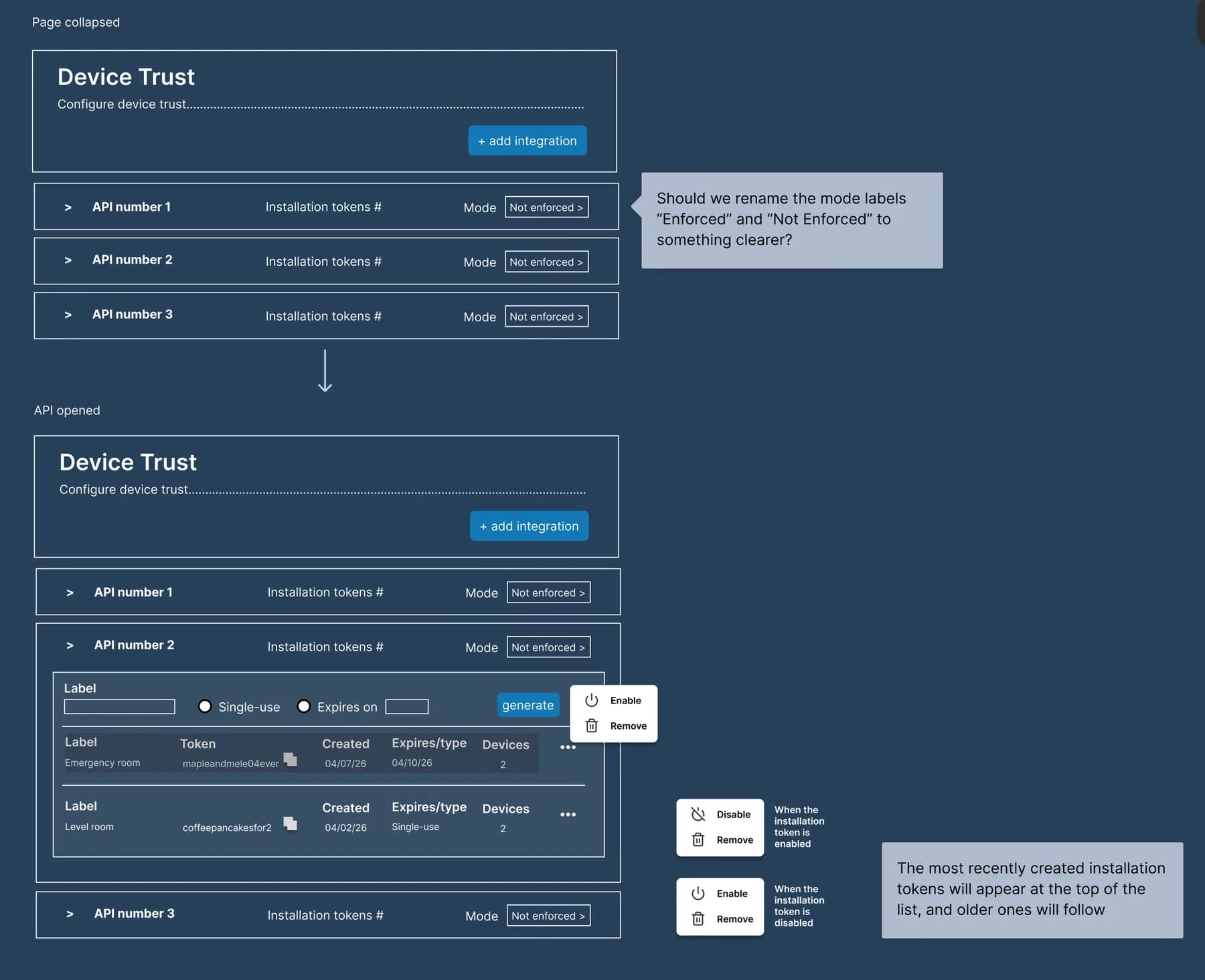
As a first step, I created low-fidelity wireframes to map the main workflow and organize the information architecture. This helped me explore how administrators could view trusted device connections, open their details, manage installation tokens, and access actions such as enabling, disabling, or removing them.
At this stage, I focused on structure, hierarchy, and functionality before defining the visual design.
Solution Overview
I designed a centralized admin experience that allows IT administrators to manage trusted clinical workstations. They can review device status, configure trust, enable or disable access, and revoke it when necessary.
Key Takeaway
People in critical environments need secure access, not just convenient access.
Good UX means making complex security decisions clear, manageable, and actionable—especially when access needs to be restricted or revoked.